Okay, folks. So. Tumblr’s jumped the shark in a big way, and I’m not even just talking about indiscriminately blocking all “adult” content on a platform that IS, in fact, primarily 18+.
Many blogs, like the wonderful @blackkatmagic , that are not especially NSFW have vanished.
(And I for one LIKE being able to go to curated porn blogs run by actual people and have a chance of finding stuff to my taste, it was one of the things that kept me on this hellsite, but that’s another issue entirely.)
I know lots of people are talking about migrating, but none of us are sure to where yet. Pillowfort seems to be an option, some people are talking about Twitter. But for now, it’s a mess, and even if we knew where we were going, it’s often a huge process, and a lot of us have stuff on tumblr that ONLY exists there.
One possible quick solution to save your blogs, both NSFW and personal, is to import it to WordPress. I found this solution through from frantic googling on how to save an entire blog, text posts an all. There are several apps for downloading all the pictures from a tumblr, (Plently for Windows, but only a few paid ones for mac, of which Tumbelog Picture Downloader is working for me so far) but this is the only solution I’ve seen so far that allows you to save EVERYTHING. I downloaded my NSFW blog in like 10 min. My regular blog, which is significantly larger, is in the process of importing, but I don’t anticipate any problems. I will, of course, update you if I have any.
This tutorial I found worked really easily. http://quickguide (.) tumblr (.) com/post/39780378703/backing-up-your-tumblr-blog-to-wordpress
I put parenthesis around the .’s like we’re back in FF-Hell, just in case tumblr’s new thing about outgoing links kicks in. You know what to do.
To break it down, just in case:
Sign up for a WordPress.com account at wordpress (.) com/start
You’ll have to create an account, with your email, a username, and a password. They should send you a confirmation email immediately, check it, activate it, and you’re good to go.
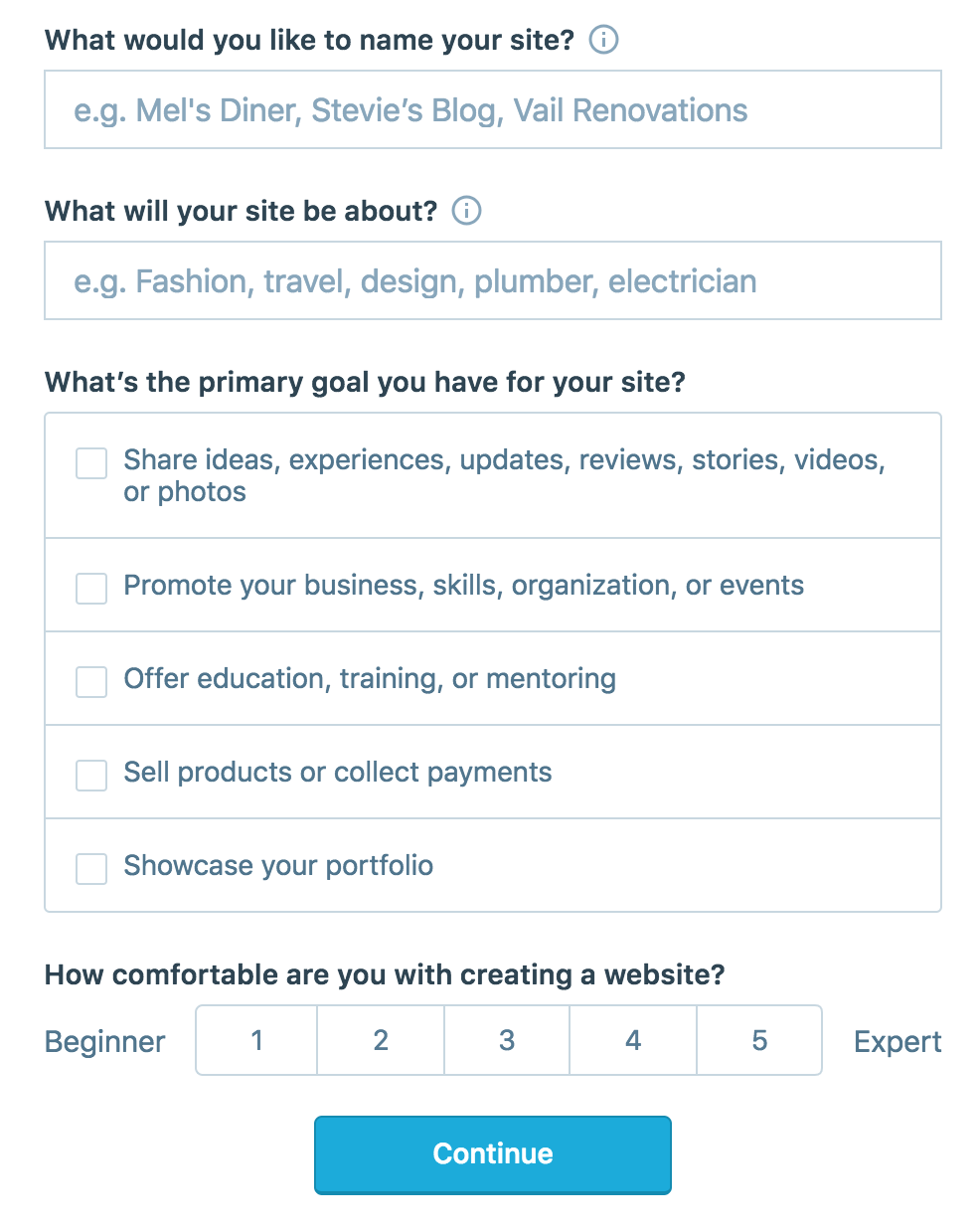
On the site, it will ask you for a site name. That page asks you a bunch of other information too, but you only have to fill out the site name.
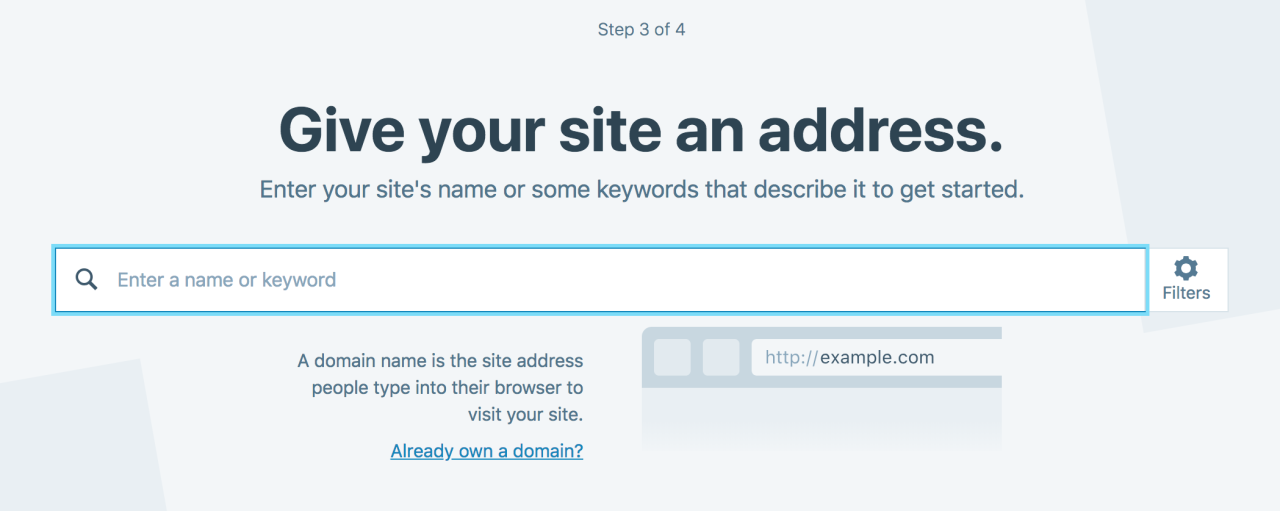
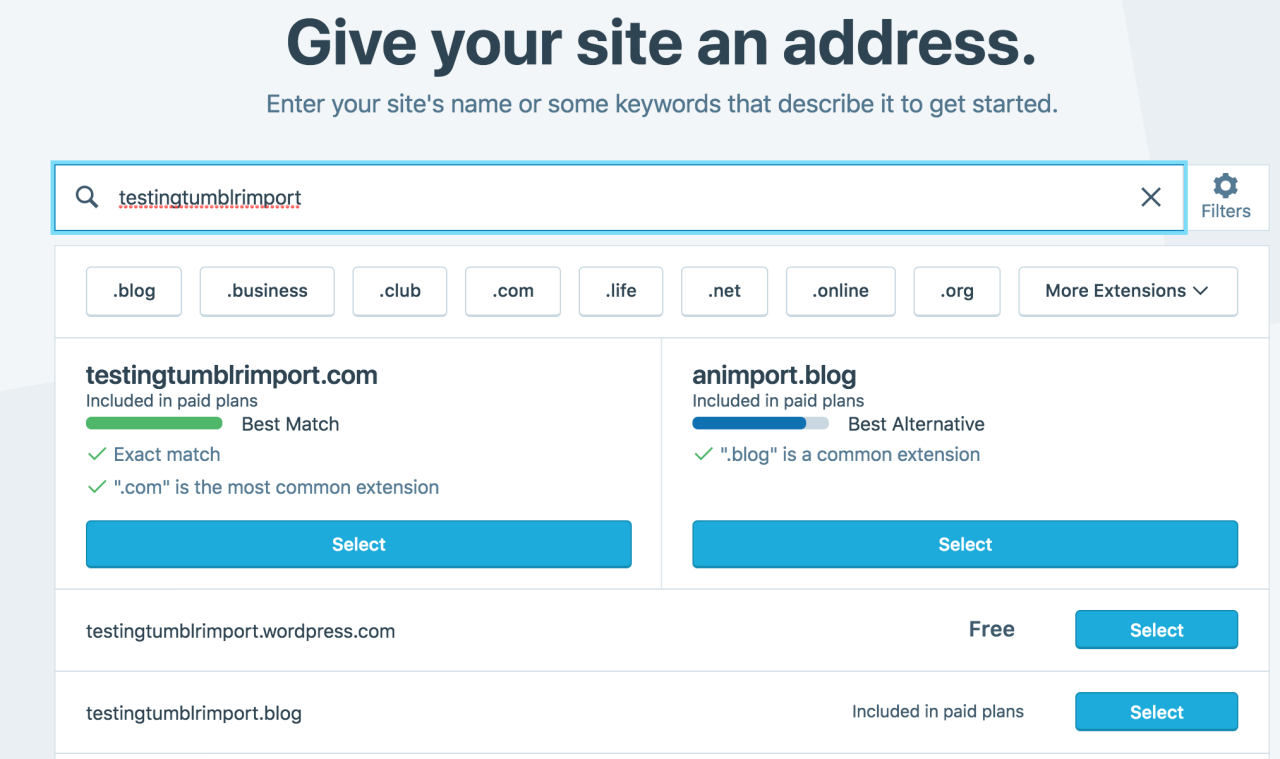
Then you have to give your site a URL. If you’re lucky, your tumblr URL is still available, if not you’ll have to come up with another one, sorry.
It will tell you if that option is still available for free.
Then it will ask you to pick a plan. Free is really good enough, I swear.
Now you’re set up! You can import your tumblr!
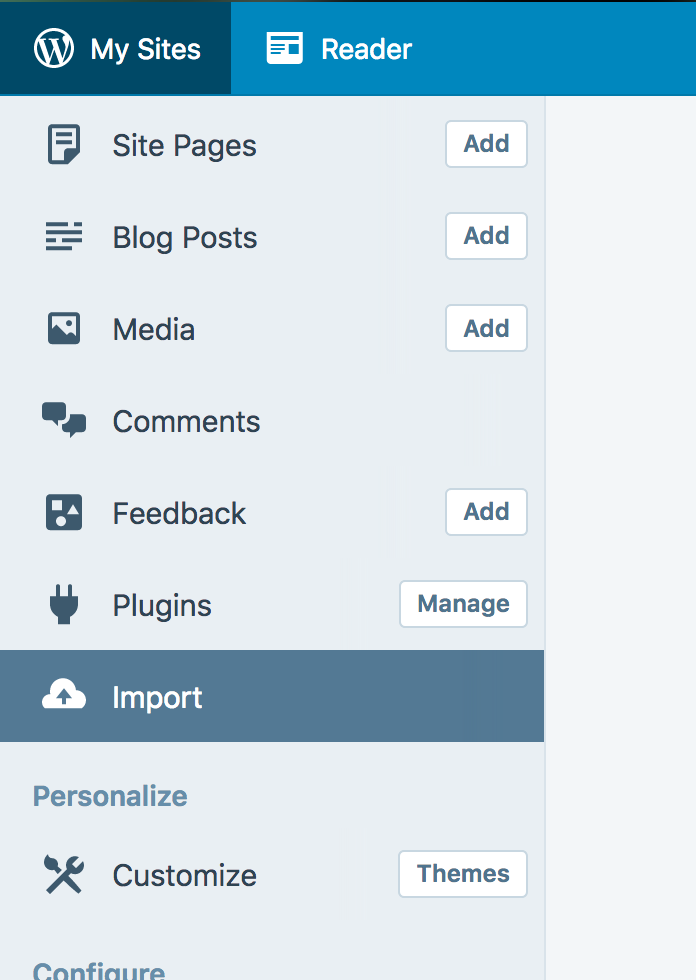
The only differences from the linked tutorial are that the Import button is now on the first level menu, not in tools.
Hit Import, then you have to follow the link for “other importers” at the bottom, to find the option for Tumblr.
Then you’ll have to sign in with tumblr, using your normal tumblr credentials. You’ll be redirected there automatically.
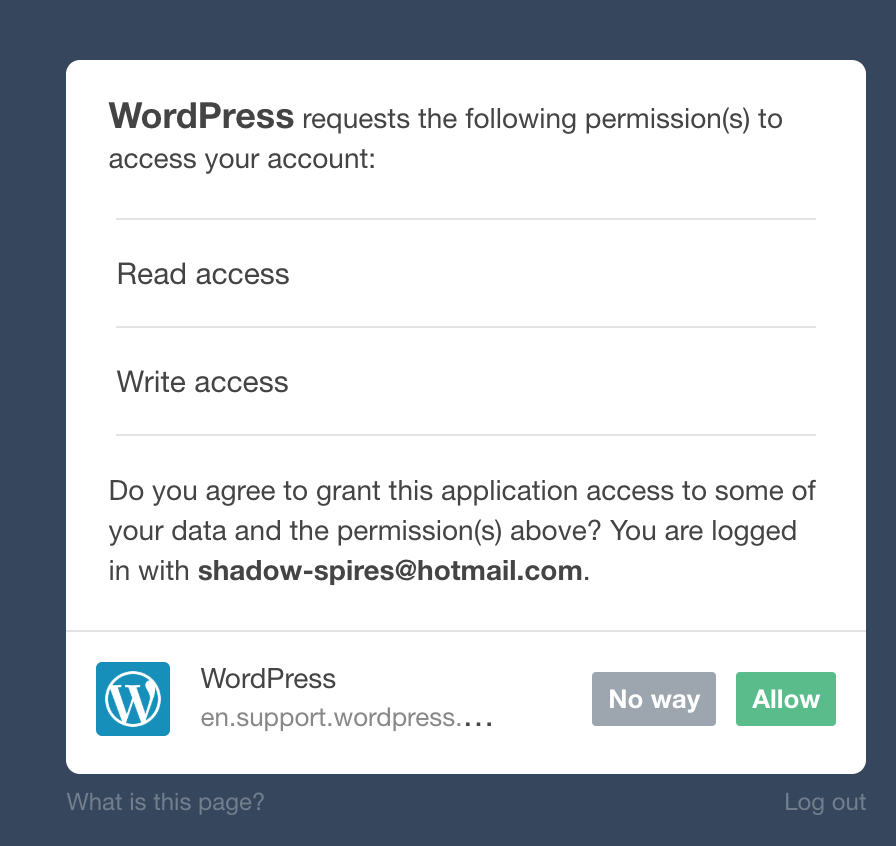
You’ll have to allow WordPress permissions on your blog.
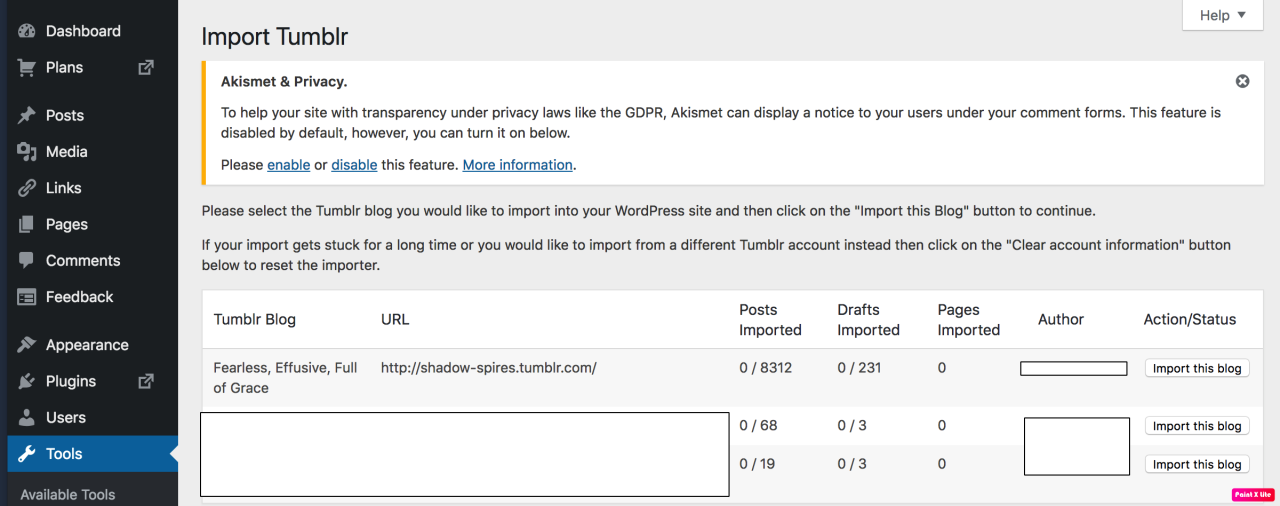
Then your blogs, including all your sideblogs, will show up in wordpress.
Hit import, wait a WHILE depending on the size of your blog, and you’re done!
ALSO!!
I made my NSFW blog private for now, since I don’t know WP’s policy on NSFW.
This means that to access it, someone has to have an account and request access. But hey, part of our problem on this hellsite has been people going places they aren’t wanted, so I don’t personally see this as a bad thing. They can send a request from the landing site on your blog, you get an email, click a link in the email, and PRESTO, they have access.
To make it private, go to Settings > Reading > Site Visibility. Go back and check, it took me changing the setting twice for it to actually stick.
tl;dr, you can import your entire blog to wordpress in just a few steps.
I’m going to tag the hell out of this, in no particular order. PLEASE reblog this and spread the word so people know it’s an option. If you’re having trouble, PM me, and I’m happy to help.
The time has finally come.
We’re all getting booted from this platform, but we’re a community, and
we’ll rebuild elsewhere. The current alternative
sites are less than ideal, but maybe one will be suitable, or a new platform
will arise in the coming weeks.
In the meantime, let’s make sure we export everything so that
all our work was not in vain. We suggest a few different ways to do this, to
ensure that nothing is lost.
—
1. Send your email to
your favorite blogs to stay in touch.
Our email is: alongthehike@gmail.com
——-
2. Export a list of
people that you follow, so you don’t forget any names/blogs accounts
At the bottom click export.
It will take a while to process.
Once ready, click download backup. Ideally we’ll be able to import these files into another platform, but you should probably do the following steps just in case.
——
4. Download your full site.
This is easy, but will take a while, and probably a few GB’s.
Enter your site’s URL and run the program. It will probably take a few hours.
“It allows you to download a World Wide Web site from the
Internet to a local directory, building recursively all directories, getting
HTML, images, and other files from the server to your computer. HTTrack
arranges the original site’s relative link-structure. Simply open a page of the
“mirrored” website in your browser, and you can browse the site from
link to link, as if you were viewing it online. HTTrack can also update an
existing mirrored site, and resume interrupted downloads. HTTrack is fully
configurable, and has an integrated help system.”
——–
5. Download all media from all of your favorite blogs.
Open the program and on the bottom left enter your blog’s
URL. In settings make a new folder to
which the files should be downloaded. Right click your blog and “add to Queue” then
click “Crawl”.
You can do this with any blog you follow, but it will only
take images, and no comments, tags, etc., hence the need to download your
entire site (and/or other sites) using HTTrack in step 4 above.
Downloading your “likes” is a bit more tricky.
Click settings, then connection, and log in with your Tumblr
credentials.
With these
files/exports we should be able to migrate elsewhere and rebuild our community. It will be hard to credit everyone for their
work, but we’ll do our best.
If you have any questions on the above just respond here, or
via email.
We’re to be kicked out on the 17th, but it will probably happen
earlier, so the sooner you get started on the above the better.
It’s been a pleasure sharing with you all over the past few
years.
Bright stars #Vega, #Deneb, and #Altair form a large triangle on the sky known as the #Summer Triangle that can be seen rising in the northern early spring during the morning and rising in the northern fall during the evening. During summer months, the triangle can be found nearly overhead near midnight. Featured here, the Summer Triangle asterism was captured in April from Gunma prefecture, Japan. In the foreground, sporting a triangular shape of its own, is a flowering 500 year old cherry tree, standing about 15 meters tall. The triangular shape of the asterism is only evident from the direction of Earth – in actuality the stars are thousands of light years apart in space.
Image credit: Takeishingo.com via twanight.com
#starsandconstellations #milkyway #astronomy #cherryblossom #japan #summertriangle (at Tamamura-machi Sawa-gun, Gunma, Japan)
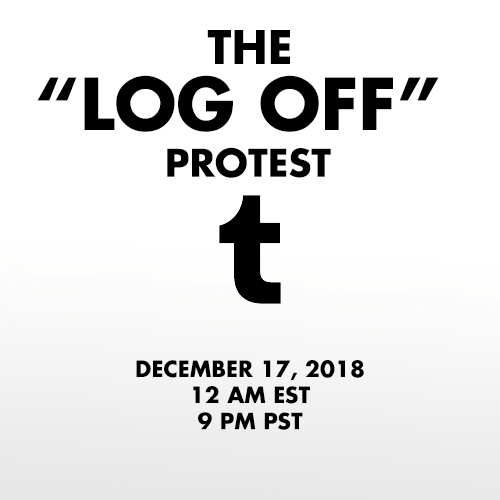
In response to the NSFW ban being enacted by Tumblr Staff, on December 17th 2018 I propose that we all log off of our Tumblr accounts for 24 hours.
The lack of respect and communication between staff and users is stark. Users have been begging staff to delete the porn bot outbreak, which has plagued the website for well over a year. The porn bots oftentimes send people asks and messages, trying to get them to go to a website full of viruses. They also spam advertisements on others posts.
Users have also begged that Tumblr ban neo-nazis, child porn, and pedophiles, all which run rampant on the site. The site/app got so bad that it was taken off the app store.
However, instead of answering the users, Tumblr has instead taken the liberty to ban all NSFW content, regardless of age. But users have already run into issues of their SFW content being marked as sensitive and being flagged as NSFW, not allowing them to share their work.
Not only does this discriminate again content creators, but it also discriminates against sex workers. Disgustingly, the ban will be enacted on December 17 which is also International Day to End Violence Against Sex Workers.
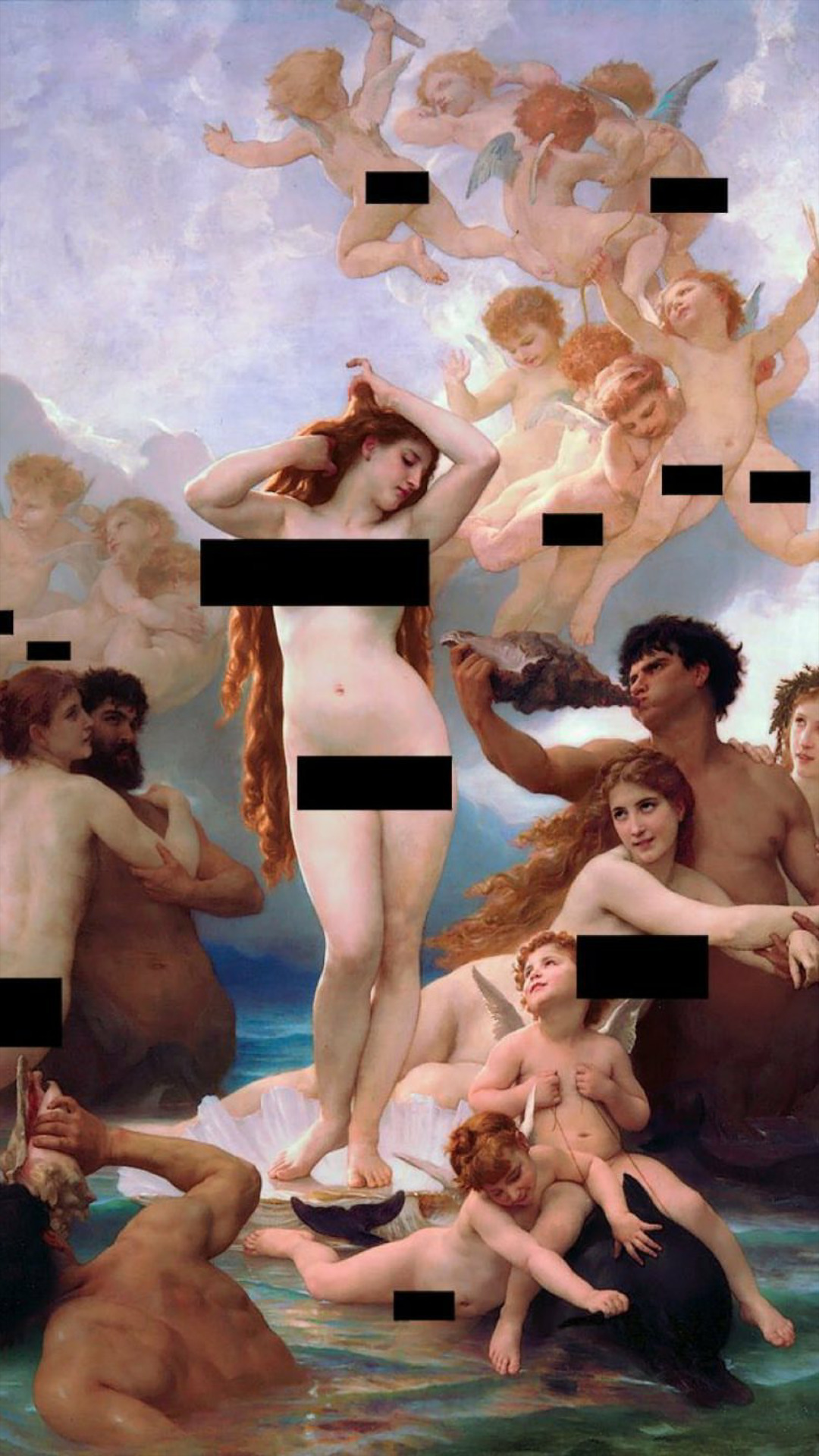
This ban is disgusting, and while I (and plenty of others) welcome porn bots and child porn being banned, the Tumblr filtration system is broken. It tags artistic work’s nipples as NSFW (when it is art), it tags SFW art as NSFW (when it is not), and does not stop the porn bots, neo-nazis and dozens of other issues.
This ban is discriminatory. This ban is ineffective. This ban is unacceptable.
To protest, log off of your Tumblr account for the entirety of November 17th. Log off at 12 am EST or 9PM PST and stay off for 24 hours. Don’t post. Don’t log on. Don’t even visit the website. Don’t give them that sweet ad revenue.
Tumblr’s stock has already taken a hard hit. Let’s make it tank. Maybe then they will listen to the users.
Reblog to signal boost! We must force change.
Got a reminder set.
Here’s some converted times, so that people living in other countries don’t have to google this:
Australian Eastern Standard Time (AEST): 4PM, 17th of December
Australian Central Standard Time(ACST): 3:30PM, 17th of December
Australian Western Standard Time(AWST): 1PM, 17th of December
Greenwich Mean Time(GMT): 5AM, 17th of December
Paris, France (CET, GMT+1): 6AM, 17th of December
Tokyo, Japan (JST, GMT+9): 2PM, 17th of December
Rome, Italy (CET, GMT+1): 6AM, 17th of December
Moscow, Russia (MSK, GMT+3): 8AM, 17th of December
Beijing, China (CST, GMT+8): 1PM, 17th of December
(NOTE: EST = GMT-5)
Hope this helps!
Well I’m doing this
The site is so broken everyone doing so will get blocked out of their accounts.
Worth a shot.
I’m into this, Tumblr went nuts with this one, it seems they want to take their easy way out instead of actually dealing with the problems and making the site better









 Curious musings